 Private
Orbit
Project Q&A
Overview
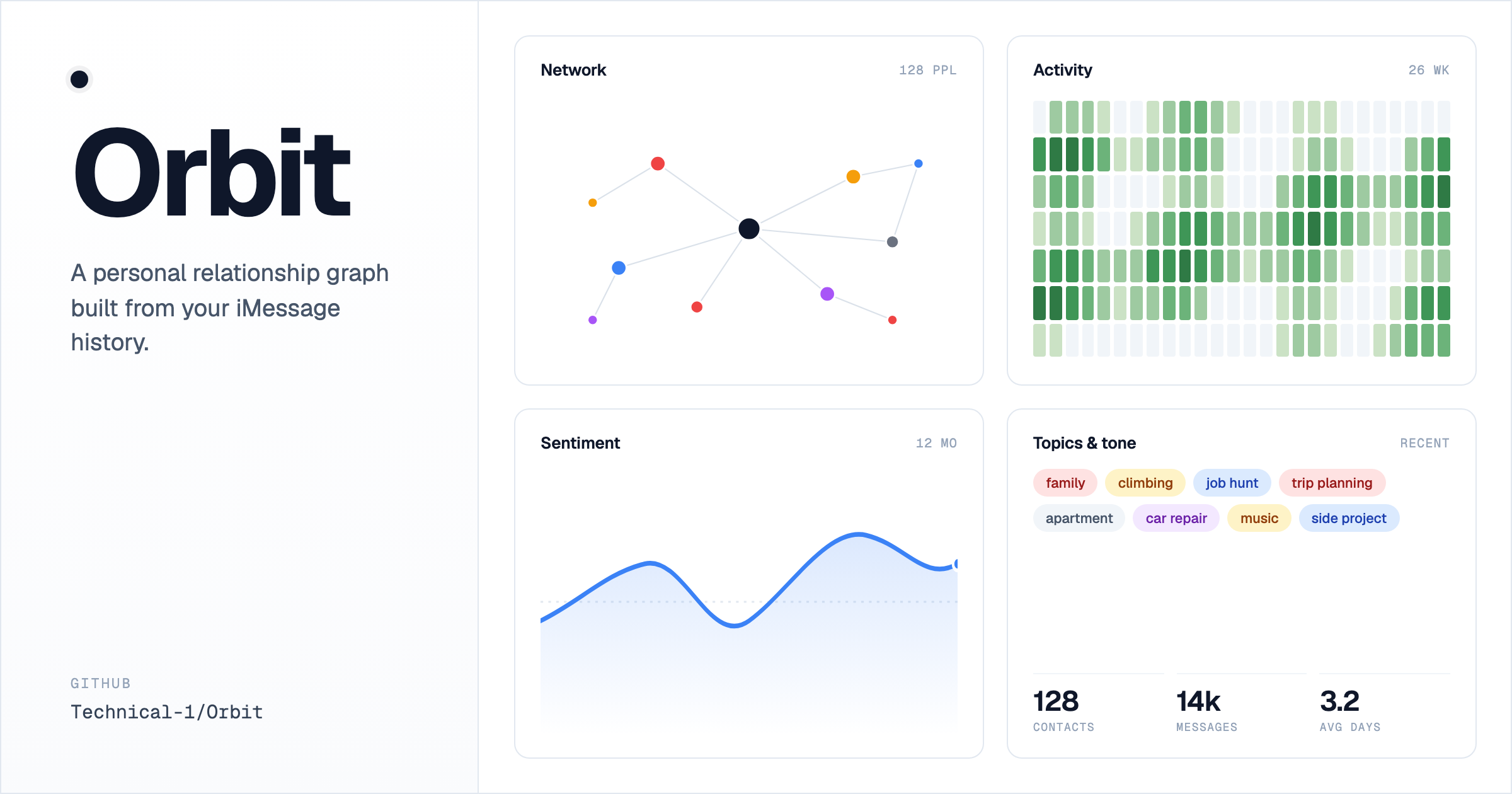
Orbit is a personal relationship knowledge graph built from my own iMessage history. It pairs two MCP servers — one for reading messages, one for the knowledge graph — with a Next.js + Cytoscape frontend. An MCP-capable LLM client runs the seed and update prompts against the local servers, then I browse the results in the browser (or an Electron window). The whole thing is local-only and macOS-only; nothing leaves my machine.
Problem Solved
iMessage holds years of relationship signal — who I actually talk to, who I've drifted from, when conversations turned warm or cold — but the Messages app shows only the most recent thread. Orbit turns that latent history into a queryable graph and a set of dashboards, so I can spot ghosts, recognize who chases whom, and see a real year-in-review of my conversations.
Target Users
- Me, primarily — a single-user tool that runs on my Mac against my own message store.
- Curious engineers — the codebase is a worked example of building a real app on top of MCP servers, with the integration logic encoded as Markdown prompts instead of a custom backend.
Key Features
Tagged-observation graph schema
Each Person entity carries [freq], [topic], [tone], [bio], and optional [sent] observations. Updates replace tagged lines instead of appending, so the graph stays clean across many refreshes.
Network visualization
Cytoscape renders the people graph; Louvain community detection assigns colors to clusters so I can see friend groups at a glance.
Per-person deep dive (/person/[name])
Frequency, rhythm fingerprint, topic cloud, sentiment arc, response-time stats, attachment gallery, and message timeline for any contact.
Drift detection
/ghosts surfaces people I've lost touch with; /initiation shows who chases whom; /responsiveness shows reply latency; /hygiene shows unnamed handles with AddressBook candidate names.
Wrapped slideshow
A Spotify-Wrapped-style year-in-review of conversations, sentiment, top contacts, busiest day, and hour fingerprint.
Electron wrapper
Optional native window with an in-app Refresh button that runs the update prompts in the background via the local LLM client.
Technical Highlights
MCP servers as the integration layer
Both iMessage SQLite parsing and a knowledge-graph store already exist as MCP servers (mac-messages-mcp and @modelcontextprotocol/server-memory). Wiring them into .mcp.json and encoding the workflow in Markdown prompts meant I never had to write or maintain integration code — the prompts are the application logic for the seeding pipeline.
Tag-replace semantics for idempotent updates
Any incremental ingestion has to avoid duplicating data. The convention "each Person has exactly one [freq] line, one [topic] line, etc., and updates delete-then-add the entire line" makes the update loop trivially safe. The frontend parses with a one-liner: obs.find(o => o.startsWith("[topic]")). No schema, no migrations, no merge conflicts.
Reading SQLite from server components
Some views (gallery, per-person message bodies, attachment IDs) need raw data the MCP server doesn't expose. Opening chat.db directly with better-sqlite3 in a server component, marked server-only, gives those pages full access without exposing anything to the browser bundle. The Next.js request-memoization layer means each route opens the DB at most once per request.
Entity disambiguation via the /hygiene view
The same person can show up under multiple handles (phone, email, iMessage IDs). Automatic merging either over-merges (similar names, different people) or under-merges (same person, different handle). /hygiene lists unnamed handles next to AddressBook candidate names so I can confirm-and-merge by hand, which is right far more often than any heuristic I tried.
One design substrate across ~18 routes
Every page combines charts, filters, and tables, which drifts fast if each is styled independently. The frontend sits on a token-based theme (src/lib/theme/) and a library of presentational primitives (src/components/ui/) — mastheads, filter bars, sortable column headers, stat grids, the node selection panel — so each route is a thin composition rather than bespoke markup, and a restyle is a token edit. Interactivity (column sorting via a small useSortableRows hook, network layout/size filters, node selection) lives in client wrappers, while the data-loading pages stay server components that read SQLite directly and pass already-rendered content (like a sidebar aside) down as props, keeping the client bundle lean.
Engineering Decisions
Two MCP servers instead of a custom integration
- Constraint: Needed iMessage reads and a knowledge-graph store.
- Options: Write a custom Node/TS backend for both; or wire existing MCP servers.
- Choice: Wire
mac-messages-mcpand@modelcontextprotocol/server-memoryvia.mcp.json. - Why: Keeps the repo focused on the schema convention and visualization. No custom server code to maintain.
JSONL knowledge graph, not a database
- Constraint: Persistent store the memory MCP server already writes to, that the frontend can re-read.
- Options: SQLite, Postgres, embedded graph DB, raw JSONL.
- Choice: Use the memory server's native
memory.jsonlfile directly from the Next.js loader. - Why: Zero schema migrations, easy to inspect by hand, append-only writes match the incremental flow. Full re-parse on every request is acceptable for ~100 contacts.
Tagged observations with replace-the-line semantics
- Constraint: Updates needed to refresh stats without endlessly appending duplicate observations.
- Options: Numeric versioning per observation; full entity replacement; tagged-line replacement.
- Choice: One
[freq], one[topic], one[tone], one[bio], optional[sent]per Person — updates delete the old tag and add the new line. - Why: Predictable parsing in
graph.ts, idempotent updates, human-readable in the JSONL.
Read SQLite directly from the frontend
- Constraint: Some views need raw message data the MCP server doesn't expose.
- Options: Extend the MCP server, build a separate API, or open
chat.dbdirectly in server components. - Choice: Open
chat.dband AddressBook read-only withbetter-sqlite3, markedserver-only. - Why: Avoids tunneling everything through the MCP layer; trade-off is tight coupling to macOS file paths.
Electron wrapper as opt-in, not the default
- Constraint: Native window is nicer for daily use, but adds a heavy dependency.
- Options: Browser-only, Electron-only, or both with one as default.
- Choice: Keep
electronindevDependencies; the browser flow (npm run dev) remains canonical andnpm run appis opt-in. - Why: Contributors can run the app without Electron; the wrapper earns its weight only for the in-app Refresh button.
Frequently Asked Questions
How is the graph actually built?
By an MCP-capable LLM client. The user pastes prompts/bootstrap.md into a session opened in this directory. The agent reads messages via the messages MCP server, extracts topics/tone/bio per contact, and writes entities + relations via the memory MCP server. The memory server appends to memory.jsonl, which the Next.js app then re-reads on every page render.
Why MCP servers instead of just a script?
Two reasons. First, the integrations already existed as MCP servers — no need to reimplement them. Second, the seeding logic involves real judgment (which threads are transactional? what's a good one-line tone rationale?). Putting it in a prompt means a reasoning model does that work every run, rather than me trying to encode rules in code.
Why not use a real database for the graph?
For personal-scale data (~100 contacts), parsing a JSONL file on every page render is fast enough and the operational simplicity is worth it. No migrations, no ORM, easy to inspect by hand, and the MCP server already writes to that format.
How does sentiment scoring work?
prompts/sentiment.md scores each top contact per month (−1 to +1, with a confidence and short rationale) and appends JSONL rows to viz/data/sentiment.jsonl. The score is also written back to the Person entity as a [sent] observation. The /sentiment page renders each contact as a diverging bar (warm to the right, strained to the left) with sortable columns; the per-person view renders the time series as an arc.
What happens to personal data?
Everything stays local. viz/data/sentiment.jsonl and viz/data/entity_handles.json contain real names and sentiment rationales, so they're gitignored. The published repo has only source code, prompts, and conventions — no actual messages, contacts, or graph contents.
Why is the Electron wrapper optional?
The browser flow (npm run dev) is the canonical path. Electron adds a heavy dependency and only earns its weight if you want the in-app Refresh button, which shells out to the LLM client headlessly against the update prompts. For most use it's overkill.
How does Orbit handle group chats?
Group threads get their own page (/groups) with member counts and activity, and per-thread drilldowns. The graph treats group-chat-only contacts differently from 1:1 contacts so they don't drown out the people you actually talk to directly.